Media Center Quick Tip – Disabling Channels in your Guide
It's easier than you might think to remove individual channels from your Media Center guide. No settings screens required!
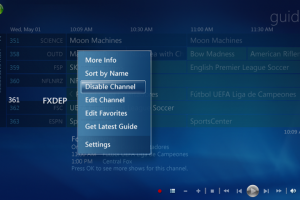
read moreIt's easier than you might think to remove individual channels from your Media Center guide. No settings screens required!
read moreIt's a little known fact that Windows users can enjoy the benefits of Apple's Photo Stream and iCloud. In this quick tip, we'll show you how to add Photo Stream to your Windows Media Center experience.
read moreMedia Center does not support the Play To functionality of Windows Media Player for some reason. While not perfect, you can ease the lack of integration by launching Windows Media Player in the background upon login. To do so you need to write a little three line script and drop it into a certain directory.
read moreThis Windows Media Center Quick Tip shows you how to easily find out which of your Recorded TV shows are copy-protected.
read moreUse SkyDrive on your Media Center PC to view photographs that are automatically uploaded from your Windows Phone.
read moreThe Fall 2011 update for the Xbox 360 brings a great new Metro-style UI to the Xbox dashboard, but where did Media Center go? You can still use your Xbox as an extender, you just have to dig a little to find it.
read moreWindows Media Center's guide may look like a traditional set-top box grid guide, but these tips may help make the guide much more useful.
read moreHide the standard window control buttons from Windows Media Center by enabling Media Only mode.
read moreIf you're adding more storage to your Windows Media Center HTPC, you can change your settings so the new drive will be used to store all new recorded shows.
read moreIf the time is wrong on your Media Center PC, your recordings may start late or cut off too early. Improve the reliability of your time service updates by changing to one of a number of different services offered by the National Institute of Standards and Technology (NIST).
read moreWindows Media Center's Start menu groups your media into nice categories. But what can you do if third-party apps decide to install their own strips in your Start menu? Remove 'em. This week's tip walks you through the steps.
read moreIf you’ve become accustomed to Media Center’s 30 second-skip and instant replay features for TV, you can add that feature to DVD playback, too. By default, the skip buttons jump between chapters when you watch a DVD. But you can change that by configuring the behavior of your remote...
read more
Find The DMZ on…